
.webp)
If you’re looking for a job in 2026, here’s how your journey might be looking right now:
You spend 20-30 minutes completing one application, tailoring your resume, and writing a cover letter, only to hear nothing back. Multiply that by 50, 80, or 100 applications, and you've lost weeks of your life to repetitive form-filling with no guarantee of a single callback.
Here's what makes it worse: over 78% of resumes are rejected by Applicant Tracking Systems before a human ever reviews them. Even if you make it past the ATS filter, recruiters spend an average of 6 seconds scanning what's left. The odds are stacked against manual applicants.
The good news is that to help us tackle all these challenges, we have a variety of AI job application tools. According to a Software Finder survey, 75% of job seekers now use AI tools as part of their search, and those who do are 77% more likely to land a higher-paying role.
In this guide, we explore 13 best AI job application tools (that we shortlisted after testing 20+ tools) that actually lives up to expectations, grouped by what they do best, with honest takes on pricing, limitations, and who each one is built for.
Let’s dive in!
TL;DR: the best AI job application tools by category
Here are our top picks, organized by what they're best at.
Best AI auto-apply and job application automation tools:
- Sonara: Best for hands-off, 24/7 background auto-applying
- JobCopilot: Best for learning your preferences and improving over time
- LazyApply: Best for high-volume applying with referral outreach built in
- LoopCV: Best free auto-apply tool to start with
- Simplify: Best one-click autofill Chrome extension for speed
Best AI resume builders and ATS optimization tools:
- Teal: Best all-around for resume building, tailoring, and job tracking combined
- Jobscan: Best for ATS keyword matching and resume scoring
- Rezi: Best for building ATS-friendly resumes from scratch
Best AI career management and job tracking tools:
- Careerflow: Best free career management platform with LinkedIn optimization
- Jobright: Best AI job matching with networking and referral features
Best AI interview preparation tools:
- FinalRound AI: Best for realistic mock interviews with real-time feedback
- Yoodli: Best for speech coaching and reducing filler words
Best AI networking and outreach tools:
- Hunter.io: Best for finding recruiter emails and scaling cold outreach
Quick comparison table
👋🏼 Quick note: Pricing and packages are always updating. Hence, we request you to double-check before making any decision!
The best AI auto-apply and job application automation tools
But what is an auto-apply tool?
Auto-apply tools are the engine room of an AI-powered job search. They find roles that match your criteria, tailor your application materials, and submit everything on your behalf. Some do this while you're actively browsing, while others run entirely in the background, applying around the clock.
Here are the five best AI auto-apply tools we tested.
1. Sonara
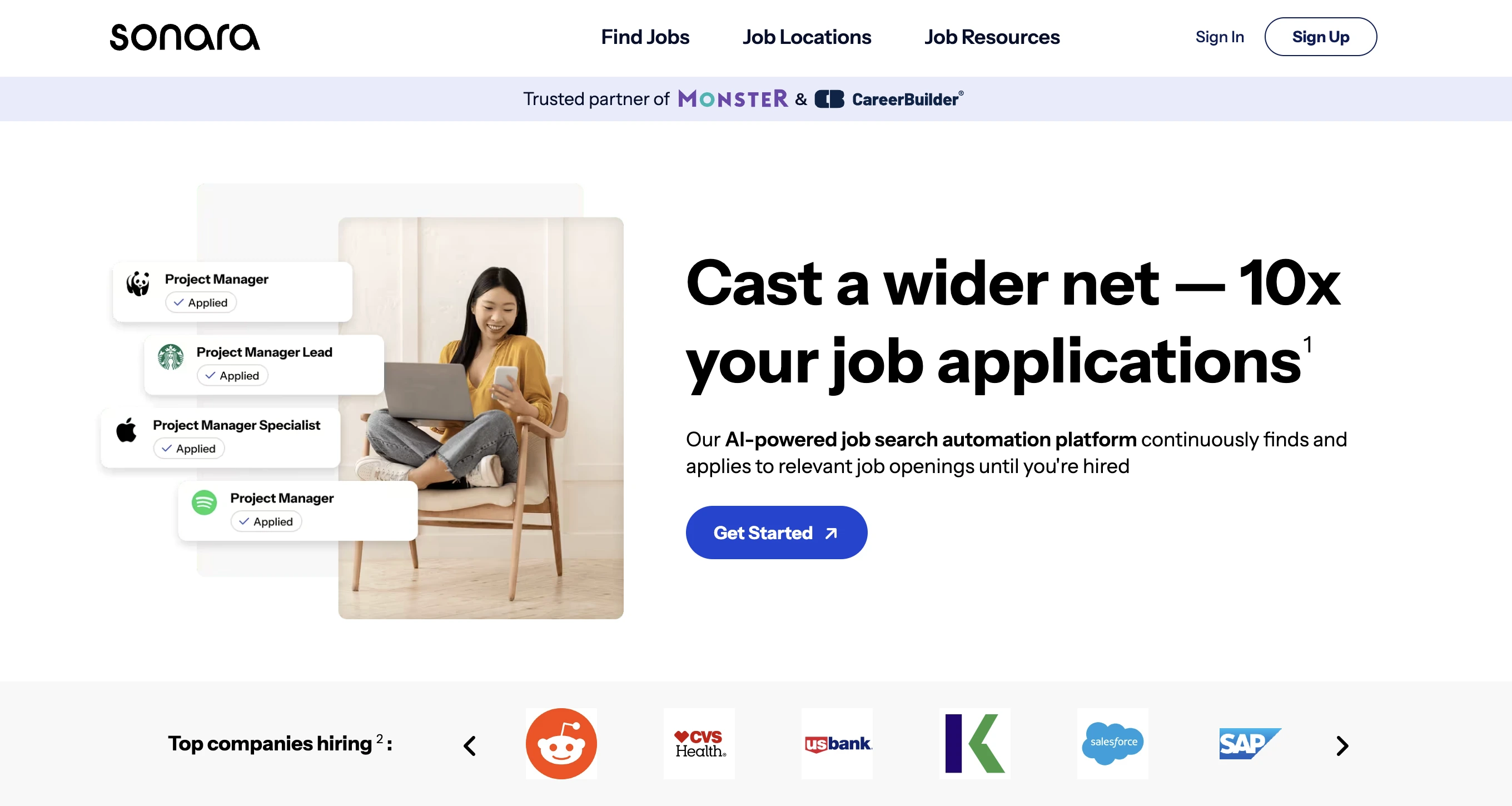
Sonara runs your job search 24/7 by scanning company career pages directly, which means you're applying to listings before they hit LinkedIn or Indeed. It allows you to configure your preferences once, and it handles everything — from tailoring resumes and writing cover letters to submitting applications while you sleep. We particularly liked how the direct-source approach reduces ghost job exposure, which is a real advantage when you can't manually vet each listing.
Feature highlights:
- Autonomous 24/7 job searching and applying based on your profile, skills, and role preferences
- AI-tailored resumes and cover letters customized to each job description automatically
- Scans direct company career pages rather than relying solely on aggregator boards, reducing ghost job exposure
- Dashboard tracking all submitted applications, recruiter responses, and interview requests in one place
Pricing:
- Plans start at ~$24.90/month
- Free trial available to test with your own profile
2. JobCopilot
JobCopilot is one of those AI job tools that gets smarter the more you use it. Every edit you make to an answer or resume section trains the AI to match your voice, so applications stop feeling generic after a few days. It can scan 500,000+ company career pages daily and only applies to verified jobs, cutting out the scraped and duplicated listings that waste credits on other platforms.
Feature highlights:
- Trainable AI that learns from your edits, feedback, and preferences to improve personalization over time
- Daily scanning of 500,000+ company career pages for newly posted roles
- Built-in AI interview roleplay chatbot for practicing after you've submitted applications
- Option to review each application before submission, or let it apply fully automatically
Pricing:
- Plans start at ~$15/month for basic auto-apply
- Higher tiers increase daily application limits and add interview prep
- 30-day refund policy available
- Built-in interview roleplay chatbot included with paid plans
.webp)
3. LazyApply
LazyApply leverages the volume game but adds a networking layer that most auto-apply tools miss. Alongside each application, it sends personalized referral emails to employees at the target company, combining mass-apply scale with warm outreach. Users regularly report 50-100+ daily applications across LinkedIn, Indeed, and ZipRecruiter, with many landing interviews within the first week.
Feature highlights:
- High-volume automation enabling 50 to 100+ applications per day across major job platforms
- Automated referral email outreach to employees at each target company, alongside applications
- Real-time analytics dashboard tracking applications, responses, interview requests, and referral activity
- Coverage across LinkedIn, Indeed, ZipRecruiter, and direct company career pages
Pricing:
- Plans start at ~$24/month
.webp)
4. LoopCV
LoopCV earns the "best free" spot because its free tier actually works — you can test the full auto-apply loop from job discovery to submission without paying anything. Most competitors either skip free plans entirely or render them into uselessness. We found it to be ideal for job seekers curious about AI automation but not ready to commit budget before seeing results.
Feature highlights:
- Full-loop automation covering job discovery, profile matching, resume tailoring, and application submission
- Functional free tier that allows real auto-apply testing before any financial commitment
- AI resume tailoring that adjusts content based on each role's specific job description
- Support for multiple job boards and direct company career page applications
Pricing:
- Free tier available with limited daily applications
- Pro plan starts at ~$19/month with higher volume and extra features
- Premium tiers available for power users
.webp)
5. Simplify
Simplify doesn't exactly apply for you — it eliminates the typing. This Chrome extension autofills application forms with one click across LinkedIn, Indeed, Workday, Greenhouse, and Lever. This is best for job seekers who want to stay hands-on with their search but cut form-filling time by 80% or more. You can save your profile once, and it handles even complex multi-page forms in seconds.
Feature highlights:
- One-click autofill that works across LinkedIn, Indeed, Workday, Greenhouse, Lever, and other major platforms
- Chrome extension that integrates directly into your normal browsing workflow with no separate dashboard needed
- Saves your complete profile data and pre-fills even complex multi-page application forms in seconds
- Free tier with core autofill functionality that's genuinely usable for daily job searching
Pricing:
- Free version covers core autofill for most job seekers
- Premium plans unlock additional capabilities
- Chrome extension installs instantly, no setup required
.webp)
The best AI resume builders and ATS optimization tools
Applying at volume only works if your resume can actually pass ATS filters. These AI job application tools focus specifically on making sure it does. They analyze job descriptions, score your resume against them, identify missing keywords, flag formatting problems, and in some cases, build you a new resume from the ground up. Here are our top picks from this category:
6. Teal
We found Teal to be the closest thing to a complete AI job search command center in one platform. You can save listings via the Chrome extension, tailor your resume against each job description's requirements, and track every application — all without switching tools. Review platforms like G2 and Capterra specifically recommend Teal for application tracking and resume customization, and our testing confirms it.
Feature highlights:
- AI resume builder with real-time tailoring that scores your resume against specific job descriptions
- Chrome extension that saves job listings from LinkedIn, Indeed, and other boards directly into your Teal dashboard
- Built-in job application tracker for managing statuses, deadlines, and follow-up reminders
- ATS keyword matching that identifies exactly which terms you're missing from each job description
Pricing:
- Free tier includes basic resume building and job tracking
- Premium at ~$9/week (~$36/month) unlocks unlimited AI tailoring
- Chrome extension free with all plans
.webp)
7. Jobscan
Jobscan stands out in this one aspect better than any other tool: getting your resume past ATS filters almost flawlessly. It runs a side-by-side analysis against a specific job posting and shows your exact keyword match percentage, which missing terms to add, and which formatting elements will break automated parsing. The before-and-after improvement in match scores was the most dramatic of any resume tool we tested.
Feature highlights:
- Side-by-side resume versus job description analysis with precise keyword match percentage scoring
- Identifies missing hard skills, soft skills, and industry-specific terminology from each listing
- Formatting checks that flag specific elements known to break ATS parsing: tables, graphics, unusual headers
- LinkedIn profile optimization scanner included alongside resume analysis
Pricing:
- Free tier with limited resume scans per month
- Premium starts at ~$24.95/month with unlimited scans
.webp)
8. Rezi
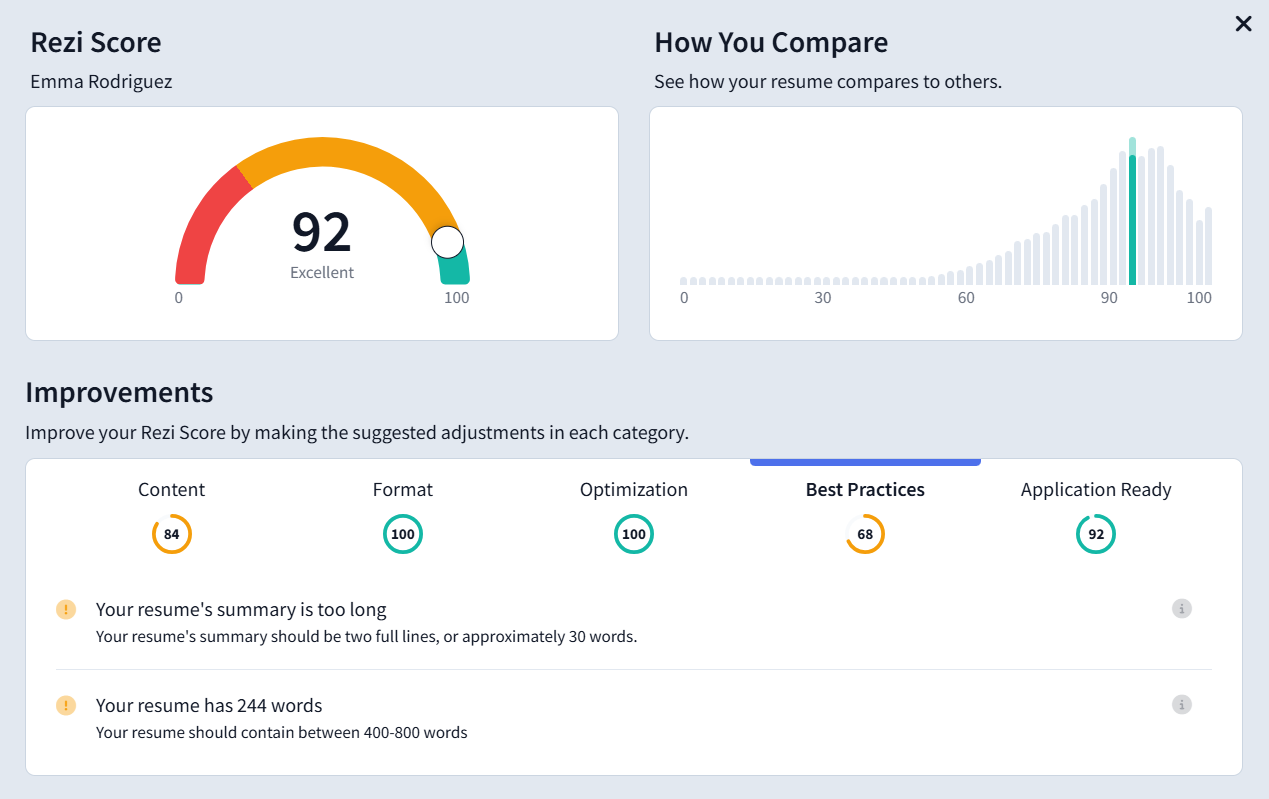
Rezi builds ATS-friendly resumes from scratch rather than fixing existing ones. Its templates are structurally optimized for automated parsing from the ground up, and the AI pulls keywords directly from job descriptions to weave them in naturally.
Feature highlights:
- AI resume builder with templates structurally designed from the ground up for ATS compatibility
- Job description parsing that extracts key requirements and integrates them naturally into your resume content
- AI cover letter generation tailored to match specific role descriptions
- Free plan available with core resume-building functionality
Pricing:
- Free plan available with core resume building
- Pro plan at ~$29/month
- Lifetime plan at $129 one-time payment
- Enterprise at $249/month per 100 users for organizations
The best AI career management and job tracking tools
When you're applying at volume and sending optimized resumes to dozens of roles, things can get quite chaotic, and it becomes tough to keep track of every application. The following AI job application tools keep your search organized and add valuable extras like LinkedIn optimization and job matching. We have dropped our top picks:
9. Careerflow
Careerflow is one of those tools whose free tier gives you more than most paid competitors. It offers you resume analysis, LinkedIn optimization, job tracking, and a Chrome extension all at no cost. We found the LinkedIn Wizard feature quite helpful, too: it walks you through specific changes to your headline, summary, and skills section step by step.
Feature highlights:
- AI resume analyzer that checks formatting, keyword optimization, and ATS readability with instant feedback
- LinkedIn profile optimization wizard that walks you through specific, actionable improvements step by step
- Job application tracker for monitoring statuses, scheduling follow-up reminders, and organizing your full pipeline
- Chrome extension that saves job listings and pulls description details automatically as you browse
Pricing:
- Free plan includes resume analysis, LinkedIn optimization, job tracking, and Chrome extension
- Premium unlocks career coaching and personalized resume reviews
.webp)
10. Jobright
Jobright's matching engine goes deeper than keyword scraping. It analyzes your full experience, skills, and preferences to surface roles that genuinely fit. The networking layer identifies referral connections at companies you're targeting so you can pair applications with warm introductions.
Feature highlights:
- AI job matching that analyzes experience, skills, and preferences for genuine fit rather than just keyword overlap
- Networking feature that identifies potential referral connections at companies you're targeting
- Resume editor that tailors content to align with each specific job description
- Users report meaningful increases in interview rates, with some tripling their callbacks
Pricing:
- Free tier available with basic job matching
- Premium unlocks advanced matching, networking, and unlimited resume tailoring
.webp)
The best AI interview preparation tools
Landing the interview is only the halfway point. These AI job application tools help you prepare for the conversation itself, simulating real scenarios, coaching your delivery, and identifying weaknesses before they cost you an offer.
11. FinalRound AI
FinalRound AI is the closest thing to a real interview coach in software form. It generates role-specific questions from actual job descriptions and evaluates your answers in real time for substance, structure, and delivery. This includes speech patterns, filler words, and confidence level. We found it to be best suited for high-stakes roles where interview performance is the deciding factor.
Feature highlights:
- Role-specific mock interviews with questions customized to the exact job description you're preparing for
- Real-time feedback on answer quality, structural organization, and STAR format adherence
- Speech analysis covering pacing, confidence level, filler word frequency, and communication style
- Multiple session types, including behavioral, technical, and situational interview formats
Pricing:
- Plans start at ~$83/month
- Higher tiers include more sessions and advanced analytics
- Free trial available to test before subscribing
.webp)
12. Yoodli
Yoodli targets how you speak by tracking filler words, pacing, eye contact, and confidence in real time. This tool is ideal for candidates who know their answers are solid but struggle with nerves, rushing, or verbal habits under pressure. The improvement tracking across sessions turns vague "practice more" advice into measurable progress you can actually see.
Feature highlights:
- Real-time tracking of filler words, speaking pace, pause patterns, and overall speaking speed
- Webcam-based eye contact and body language analysis for video interview preparation
- Confidence scoring that tracks measurable improvement across multiple practice sessions
- Free tier available with basic speech coaching functionality
Pricing:
- Free tier with basic speech coaching and limited sessions
- Premium at ~$20/month for unlimited practice and detailed analytics
- Webcam-based body language analysis included
- No interview content or question prep — purely delivery focused
.webp)
The best AI networking and outreach tools for job seekers
Applications might get you in the system. But it is networking gets you noticed. Studies consistently show that referred candidates are significantly more likely to be hired than cold applicants. However, personalizing outreach messages to dozens of recruiters and hiring managers manually can be quite time-consuming. This tool is built to help you with it.
13. Hunter.io
The last tool of our guide is Hunter.io. It solves one of the prime networking bottlenecks: finding verified recruiter and hiring manager emails at scale. The Chrome extension lets you pull direct email addresses while browsing LinkedIn profiles, bypassing LinkedIn's low-response messaging system entirely. We found this tool to be the best suited for job seekers who want to pair applications with personalized cold outreach that actually lands in the right inbox.
Feature highlights:
- Domain search that finds all professional email addresses associated with any company
- Email verification that confirms addresses are valid before sending, protecting your deliverability reputation
- Campaign feature for building and sending personalized cold outreach sequences at scale
- Chrome extension for finding email addresses while browsing LinkedIn profiles or company websites
Pricing:
- Free tier includes 25 email searches and 50 verifications/month
- Paid plans start at ~$49/month with higher limits
- Chrome extension free with all tiers
.webp)
Free AI job application tools worth trying
It totally makes sense if you're not ready to pay for AI job tools yet. In that case, you can check out the following free AI job application tools. While they won't match the depth of paid tools, they're more than enough to test whether AI-powered job searching works for your situation.
- LoopCV free tier: Gives you limited daily auto-applications, enough to test whether the auto-apply workflow produces relevant matches for your profile.
- Teal free tier: Includes a basic resume builder and job tracker with the Chrome extension for saving listings as you browse.
- Careerflow free tier: Provides resume analysis, LinkedIn profile optimization, and job tracking at no cost, which is more than some paid tools offer.
- Simplify Chrome extension: Offers free one-click autofill for application forms across LinkedIn, Indeed, Workday, and other major platforms.
- Jobscan free tier: Includes limited resume scans against job descriptions for ATS keyword scoring.
- Rezi free plan: Covers basic AI resume building with ATS-friendly templates.
- Interview Warmup by Google: Is a completely free interview practice tool built by Google that provides AI-powered feedback on your responses.
- Yoodli free tier: Provides basic speech coaching with filler word tracking and pacing analysis for interview prep.
- ChatGPT and Claude: Deserve a mention here, too. With a free account, you can draft cover letters, tailor resume bullet points to specific job descriptions, research companies before interviews, practice answering common interview questions, and even generate networking outreach messages. It's not a specialized job search tool, but it's a remarkably versatile free option that pairs well with any of the dedicated tools on this list.

IIf you want to add some AI job boards to your stack, make sure to check out this blog on our top AI job board and search tool picks!
How we tested and ranked these AI job application tools
We tested each tool using real job postings across LinkedIn, Indeed, ZipRecruiter, and direct company career pages. We put real resumes through each platform, applied to real roles, and tracked what happened.
For auto-apply tools, we measured application volume per day, how relevant the matched roles were to the profile, and whether the applications led to actual callbacks. For resume and ATS tools, we ran optimized resumes through an independent ATS compatibility checker and compared keyword match scores before and after optimization. For interview prep tools, we completed mock sessions and evaluated the quality, specificity, and usefulness of the feedback. Lastly, for networking tools, we tested email finding accuracy and verification rates across dozens of company domains.
An important note on the volume versus quality trade-off: more applications do not automatically mean better results. Some auto-apply tools will submit to everything, including ghost jobs, irrelevant roles, and positions you're not qualified for. We specifically tested for match quality, not just how fast each tool could fill out forms.
Here's what we evaluated each tool on:
- Match quality. Does the tool apply to relevant roles that align with your experience and preferences, or does it spray and pray across every listing?
- ATS performance. Do resumes optimized by the tool actually score higher when scanned through Applicant Tracking Systems?
- Speed and setup. How quickly can you go from creating an account to submitting your first application or generating your first optimized resume?
- Customization and learning. Does the tool improve its recommendations over time as you use it and provide feedback?
- Pricing and value. What do you get at each price tier, and is the value proportional to the cost?
- Platform coverage. Does it work across LinkedIn, Indeed, ZipRecruiter, Workday, Greenhouse, Lever, and other major hiring platforms?
What is an AI job application tool?
An AI job application tool uses artificial intelligence to help you find, apply for, and land jobs faster. These tools automate the parts of job searching that are repetitive and manual, such as filling out forms, tailoring resumes to match specific job descriptions, tracking applications, and even submitting applications on your behalf while you're doing something else.
There are several types of AI job application tools, and understanding the differences helps you pick the right ones for your situation. While we have already listed out the tools for each category above, let’s do a quick rundown again:
- Auto-apply tools submit applications for you across platforms like LinkedIn, Indeed, ZipRecruiter, and direct company career pages. Some of these tools can send 50 to 200 applications per day, running in the background while you focus on other things.
- Resume and ATS optimization tools rewrite and reformat your resume so it passes Applicant Tracking Systems. Since ATS software filters out the majority of resumes before a recruiter ever sees them, getting past this automated gate is often the single most impactful thing you can do.
- Job matching tools analyze your skills, experience, and preferences to surface roles that fit you well, instead of you scrolling through thousands of listings hoping something catches your eye.
- Interview preparation tools simulate real interview scenarios with AI, providing feedback on your answers, tone, pacing, filler word usage, and even body language.
- Networking and outreach tools help you find and contact recruiters and hiring managers with personalized messages at a scale that would be impossible to do manually.
Why you need AI job application tools in 2026
Manual applications take 25-50 hours just to land interviews
The average job seeker sends between 50 and 100 applications before landing interviews. At 20 to 30 minutes per manual application, that's easily 25 to 50 hours of repetitive work just to reach the interview stage. AI auto-apply tools help compress that timeline.
78% of resumes get rejected by ATS before a human sees them
These systems scan for specific keywords, formatting structure, and relevance to the job description. If your resume uses the wrong layout, includes graphics or tables that confuse the parser, or misses key terms from the listing, it gets discarded automatically. AI resume tools solve this by tailoring your content and formatting for each role.
Recruiters spend 6 seconds on the resumes that do get through
Six seconds means your resume needs to communicate your value instantly, with the most relevant information impossible to miss. AI tools help structure your content so the right details jump off the page.
7.2 million Americans are competing for the same roles
With a 4.2% unemployment rate according to the US Bureau of Labor Statistics, competition for good roles is real. AI tools level the playing field by letting you apply at the same pace and volume as everyone else who's already using them.
75% of job seekers are already using AI tools
This means that if you're handwriting each cover letter and manually filling out every application form, you're competing against people who applied to the same role ten minutes after it was posted, with a resume already tailored to the job description.
AI doesn't just help you apply faster; it helps you apply smarter
The best AI job application tools don't only increase volume. They match you with better-fit roles, tailor your materials to specific job descriptions, flag ghost job listings that would waste your time, and help you focus your energy on opportunities where you have a realistic chance. Speed without relevance is just noise. The tools that matter combine both.
How to use AI job application tools effectively
Having the right tools is only the first step. Using them well is where the real results come from. Here are the best practices we learned from testing these tools that you won't find on their feature pages:
- Stack your tools, don't rely on one: Use an auto-apply tool (Sonara, LazyApply, or Simplify) for volume, a resume optimizer (Jobscan or Teal) for quality, and a tracker (Careerflow or Teal) to stay organized.
- Optimize your resume before you auto-apply: A weak resume multiplied by 100 applications is 100 wasted opportunities. Get your ATS match score above 75% with Jobscan or Rezi first, then turn on the automation.
- Configure tight filters before going fully automated: Review the first batch of matches manually and tighten your criteria. A well-targeted 30 applications will consistently outperform a poorly-targeted 200.
- Skip listings older than 60 days: Ghost jobs, i.e., postings companies aren't actively hiring for, will waste your credits and inflate your numbers. Tools scanning direct career pages (Sonara, JobCopilot) have fewer ghost listings than aggregator scrapers.
- Edit AI-generated content in your own voice: Recruiters spot AI writing through telltale words like "delve," "leverage," and "synergize." Use AI for drafts, then rewrite with your own examples, real metrics, and personal context. The best AI-assisted applications are the ones that don't look AI-assisted.
- Pair applications with personal outreach: An auto-applied resume plus a personalized message to someone at the company significantly increases your callback rate. LazyApply's referral emails and Hunter.io both help here.
Pitfalls to avoid when using AI job application tools
Letting AI replace your personality
AI tools might make applications cleaner, more optimized, and faster to submit. But they also make every application look the same.
When 75% of job seekers are using the same tools, the formatting blends the cover letters, making them sound interchangeable, and hiring managers start pattern-matching for who sounds real. Hence, while it is okay to use AI for repetitive work, invest the time it saves into genuine networking, thoughtful follow-ups, and interview prep that sounds like you.
Overselling skills you don't actually have
AI resume tools are excellent at weaving keywords and phrasing from job descriptions into your resume. That's powerful until you land an interview and can't back up what's on the page. Hiring managers figure this out fast. Allow AI to optimize how you present your real experience, but don't let it fabricate an experience you'll need to defend.
Automating everything and engaging with nothing
Auto-applying to 200 jobs a day means nothing if you never follow up, never personalize an outreach message, and never research the company before an interview. AI gets you more at-bats. You still need to deliver once you're in the room.
Trusting AI to know what's right for your life
AI can match your skills to a job description, but it can't tell you whether the role fits your schedule, values, commute tolerance, or long-term goals. So don't outsource the decision of where to work to an algorithm. Use the tools to filter your options faster, then apply your own judgment to decide which ones are actually worth pursuing.
{{cta}}
Conclusion
The best AI job application tool depends on which part of the process is your biggest bottleneck. If you need to increase application volume, use Sonara or JobCopilot. If your resume isn't getting past ATS filters, Teal, or Jobscan. If you need to organize a chaotic search, use Careerflow. If interviews are where you struggle, FinalRound AI or Yoodli. If networking is your weak spot, Hunter.io.
But for the best results, combine two or three tools that cover different parts of your workflow. Optimize your resume first, then turn on auto-apply, and track everything in one place. Let the tools handle the grunt work while you focus on the conversations that lead to offers.
FAQ
Which AI tool is best for applying to jobs?
It depends on your needs. For fully automated applying, Sonara is the strongest option we tested, running 24/7 in the background. For semi-automated applying where you keep more control, Simplify's Chrome extension autofills forms with one click. For the best overall combination, use an auto-apply tool alongside Teal or Jobscan for resume optimization.
What are the best free AI job application tools?
LoopCV, Teal, Careerflow, Simplify, Jobscan, and Rezi all offer functional free tiers. Interview Warmup by Google and Yoodli provides free interview practice. ChatGPT is also a versatile free option for drafting cover letters, tailoring resume bullets, and preparing for interviews.
How many applications can AI auto-apply tools submit per day?
Most auto-apply tools submit between 50 and 200 applications per day, depending on the platform, your plan tier, and how many matching roles are available. LazyApply and Sonara users regularly report 50 to 100+ daily applications. However, volume without relevance wastes time, so configuring tight filters is essential.
Is it ok to use AI for job applications?
Yes, it's both acceptable and increasingly common. 75% of job seekers already use AI tools in their search. The key is using AI responsibly: let it handle repetitive tasks like form-filling and initial drafts, but always review and personalize the output. Avoid over-automation that leads to irrelevant applications, and make sure your materials genuinely reflect your skills and experience.
Can recruiters tell if I used AI on my resume?
Sometimes. Experienced recruiters may spot overly polished language, generic phrasing, or telltale AI words like "delve" and "leverage." The solution is to edit AI-generated drafts in your own voice, add specific examples and metrics from your real experience, and remove any language that feels templated. Well-edited AI-assisted content is virtually indistinguishable from manually written content.
What is ATS and why does it matter for job applications?
ATS stands for Applicant Tracking System. It's software that companies use to automatically scan, filter, and rank incoming resumes before a recruiter ever sees them. Over 78% of resumes are rejected at this stage. ATS systems look for specific keywords, proper formatting, and relevance to the job description. Tools like Jobscan and Rezi help you optimize your resume to pass these filters.
What's the difference between auto-apply tools and resume optimization tools?
Auto-apply tools (like Sonara, LazyApply, and LoopCV) submit applications on your behalf across job platforms. Resume optimization tools (like Jobscan, Teal, and Rezi) improve your resume's content, keywords, and formatting to pass ATS filters and impress recruiters. They solve different problems, and using both together produces the best results.
Do AI job application tools work with LinkedIn and Workday?
Most tools on this list work with LinkedIn. Simplify, Teal, and LazyApply all support LinkedIn directly. Workday compatibility varies by tool. Simplify's Chrome extension handles Workday forms particularly well. Auto-apply tools like Sonara and JobCopilot scan company career pages that often run on Workday, Greenhouse, Lever, and other ATS platforms.
Can freshers or entry-level candidates use AI job tools?
Absolutely. AI tools are arguably more valuable for entry-level candidates who need to apply to higher volumes of roles to land their first position. Rezi's resume builder helps create strong first resumes from scratch. LoopCV's free tier provides a risk-free way to test auto-apply. Careerflow's free LinkedIn optimizer helps build a professional presence even without years of experience.
Will AI job application tools increase my interview chances?
When used well, yes. Users of tools like Jobright report tripling their interview rates. LazyApply users regularly land multiple interviews within the first week. However, results depend on the quality of your resume, the relevance of your target roles, and how well you configure your tools. More applications of poor quality won't help. More applications of good quality absolutely will.
Has anyone used ChatGPT for their job search?
Yes, and it's one of the most popular free approaches. Job seekers use ChatGPT to draft and tailor cover letters, rewrite resume bullet points for specific job descriptions, research companies before interviews, practice answering common interview questions, and generate networking outreach messages. It works best as a complement to specialized tools rather than a replacement for them.
How do I avoid ghost job listings when using AI auto-apply?
Use tools that scan direct company career pages rather than only pulling from aggregator boards. Sonara and JobCopilot both prioritize official career pages. Check posting dates and skip anything older than 60 days with no updates. If a tool lets you review applications before submission, spot-check a few to verify the roles are genuine and current.
Can I use multiple AI job tools at the same time?
Yes, and we recommend it. The most effective approach combines tools from different categories. For example: Jobscan for resume optimization, plus Sonara for auto-applying and Careerflow for tracking and LinkedIn optimization. The key is avoiding overlap where two tools do the same thing, which wastes money without adding value.
Can AI tools help with H-1B or visa-sponsored job searches?
Some tools allow you to filter for visa-sponsored positions specifically. Jobright and LoopCV both support location and sponsorship preference filters. For international students on OPT or CPT, these filters can save significant time by eliminating roles that won't sponsor. However, always verify sponsorship availability directly with the employer, as AI tools may not have perfectly current data on every listing.
What AI tools help with LinkedIn profile optimization?
Careerflow offers the most actionable LinkedIn optimization with a free interactive wizard. Jobscan includes a LinkedIn profile scanner that scores your profile against industry benchmarks. Teal also offers LinkedIn-related features within its broader platform. A well-optimized LinkedIn profile matters because recruiters frequently search it before reviewing your submitted application.
Are AI-generated cover letters effective?
They're effective as starting drafts. AI tools like Teal, Rezi, and ChatGPT can generate cover letters tailored to specific job descriptions in seconds. However, the most effective cover letters are ones you then edit to include personal details, specific examples from your experience, and genuine enthusiasm for the role. A purely AI-generated cover letter without editing will often feel generic and may be recognized as AI-written by experienced recruiters.
What are the risks of using AI auto-apply tools?
The main risks are applying to irrelevant roles, submitting a poorly optimized resume at scale, hitting ghost job listings, and potentially being flagged by certain platforms for automated submission behavior. Mitigate these by configuring tight search filters, optimizing your resume before enabling auto-apply, reviewing the first batch of applications manually, and following each platform's terms of service.
What is the cheapest AI job application tool?
Several tools offer functional free tiers: LoopCV, Teal, Careerflow, Simplify, Jobscan, and Rezi. For paid tools, JobCopilot starts at approximately $15 per month, LoopCV Pro at $19 per month, and Yoodli Premium at $20 per month. Rezi's lifetime plan at $129 one-time is the best long-term value if you expect to job search more than once.
Do AI job application tools work for remote jobs?
Yes. Most auto-apply and job-matching tools allow you to filter for remote, hybrid, or on-site positions specifically. Sonara, LazyApply, LoopCV, and Jobright all support remote job filtering. Resume optimization tools like Teal and Jobscan are format-agnostic and work regardless of whether the target role is remote or in-person.
How do I choose between AI job application tools?
Start by identifying your biggest bottleneck. If you're not getting interviews, your resume likely needs ATS optimization (Jobscan or Rezi). If applications are taking too long, you need auto-apply (Sonara or Simplify). If you're getting interviews but not offers, you need interview prep (FinalRound AI or Yoodli). If everything feels chaotic and untracked, you need career management (Careerflow or Teal). Then check your budget: free tiers exist for most categories, so you can test before committing.
.png)